Blog Comments
Blog categories & blog commenting feature
BLOG COMMENT MODERATION
Overview
- MDG installed a light-duty hosted service from Commento.io
- The admin experience is very lightweight, with the cloud-hosted service primarily for account configuration.
- User log in, commenting, and moderating of posts all takes place right in the blog posts themselves.
- Go to any blog post to get started.
- Comments work across the blog on all categories
- The service does not have thorough documentation for the front-end experience. Mighty Digital has written this doc for orientation and training.
How a user makes comments on the blog
At the bottom of every blog post is a comment box. Once a user creates a login, they can post to any blog. The screenshots below show the process step-by-step.
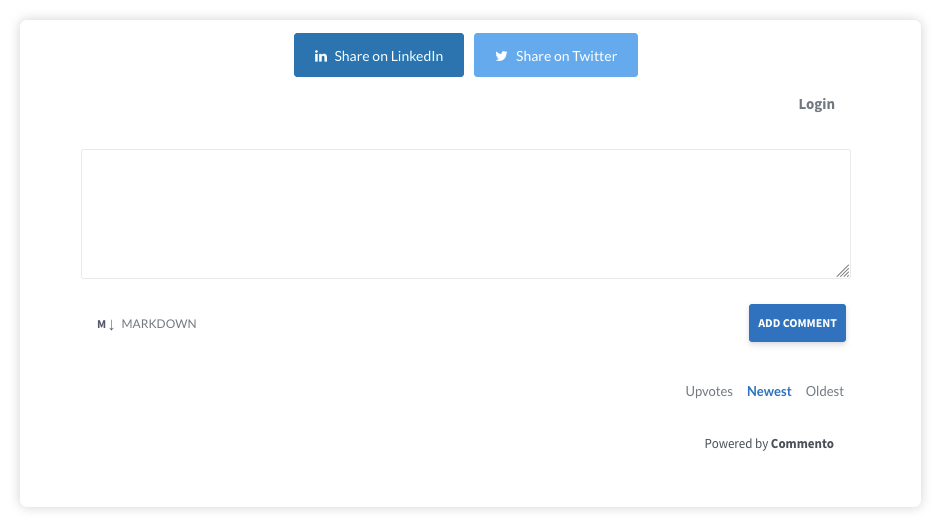 Fig-1: Default Comment box display
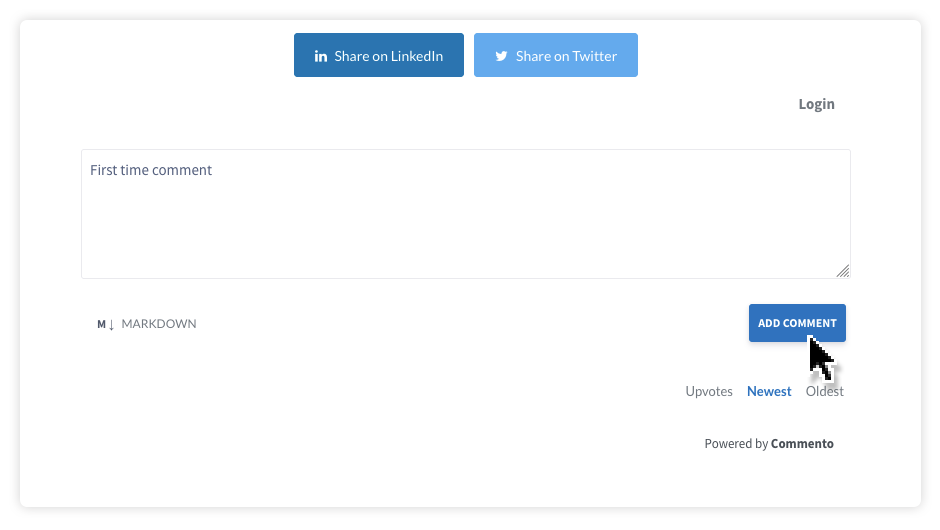 Fig-2: Adding a comment the first time
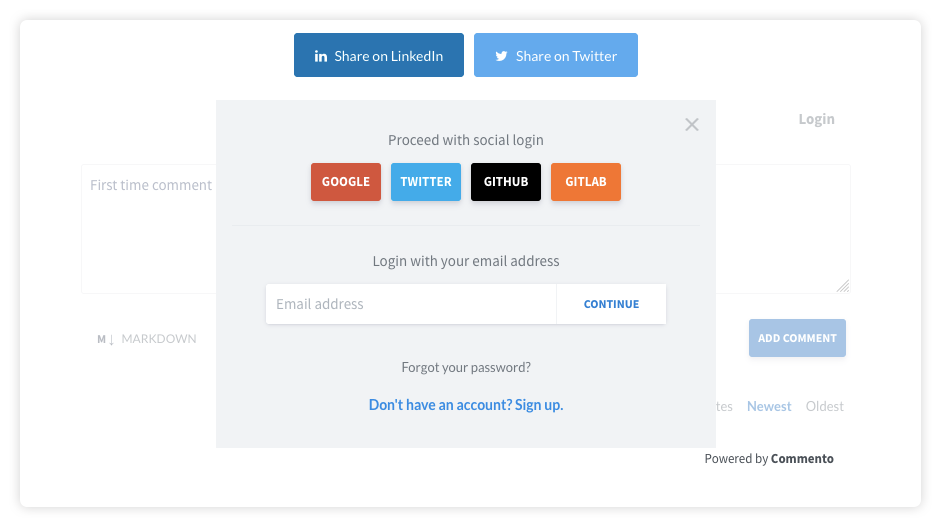 Fig-3: Login box for first comment
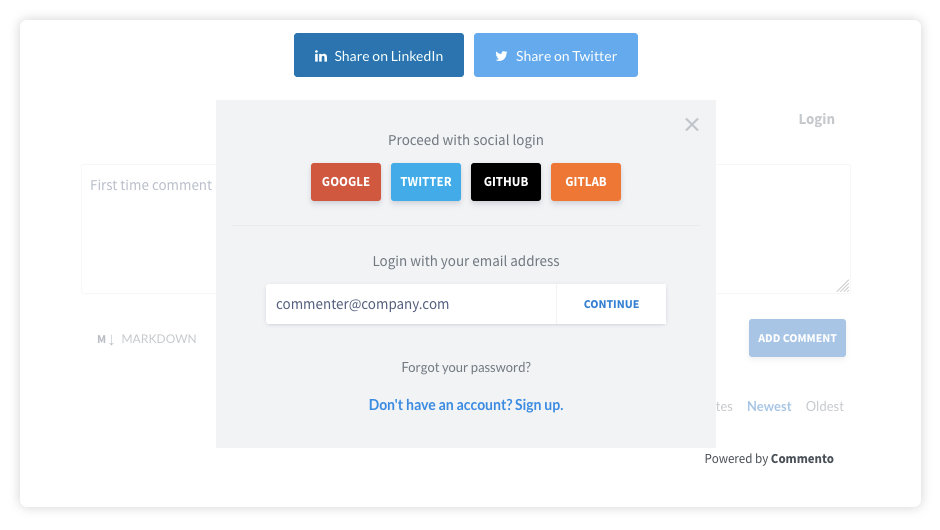 Fig-4: User enters email address
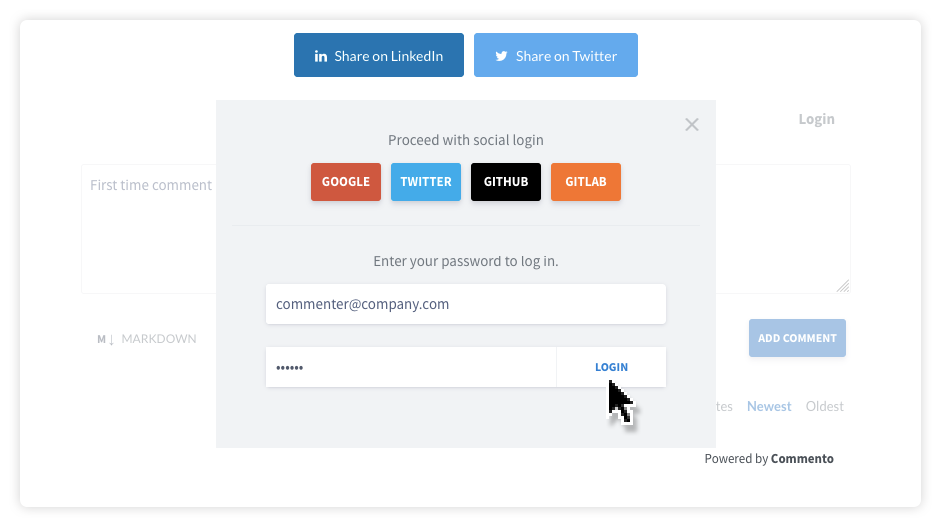 Fig-5: On the first post, user chooses password
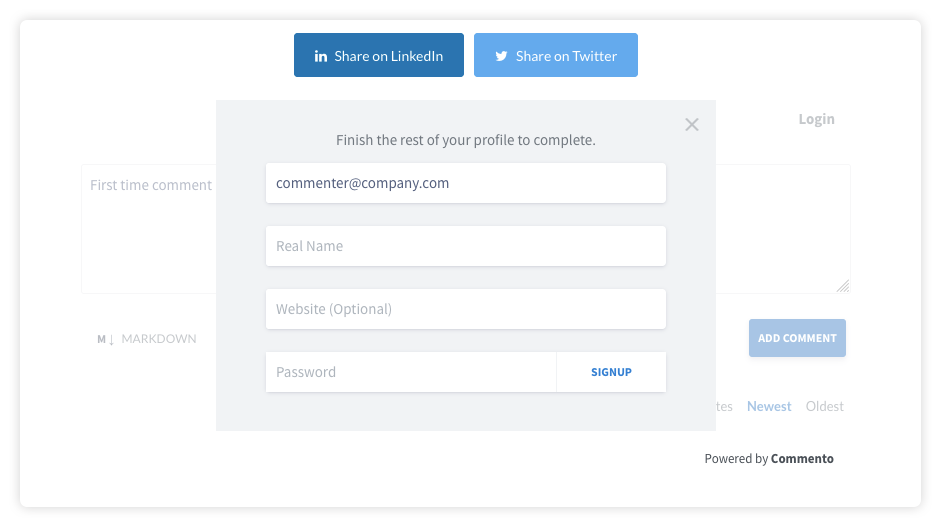 Fig-6: Optional profile entry screen
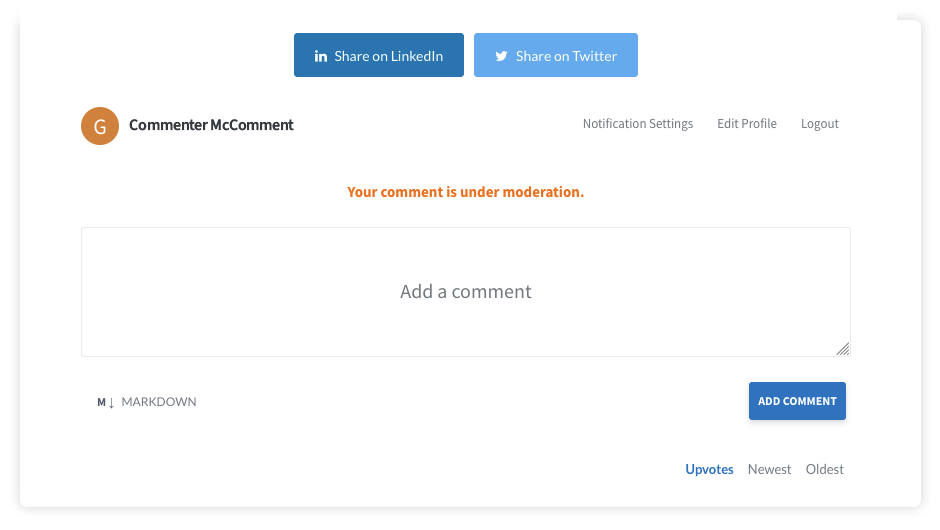 Fig-7: Once login is successful, it is queued for moderation
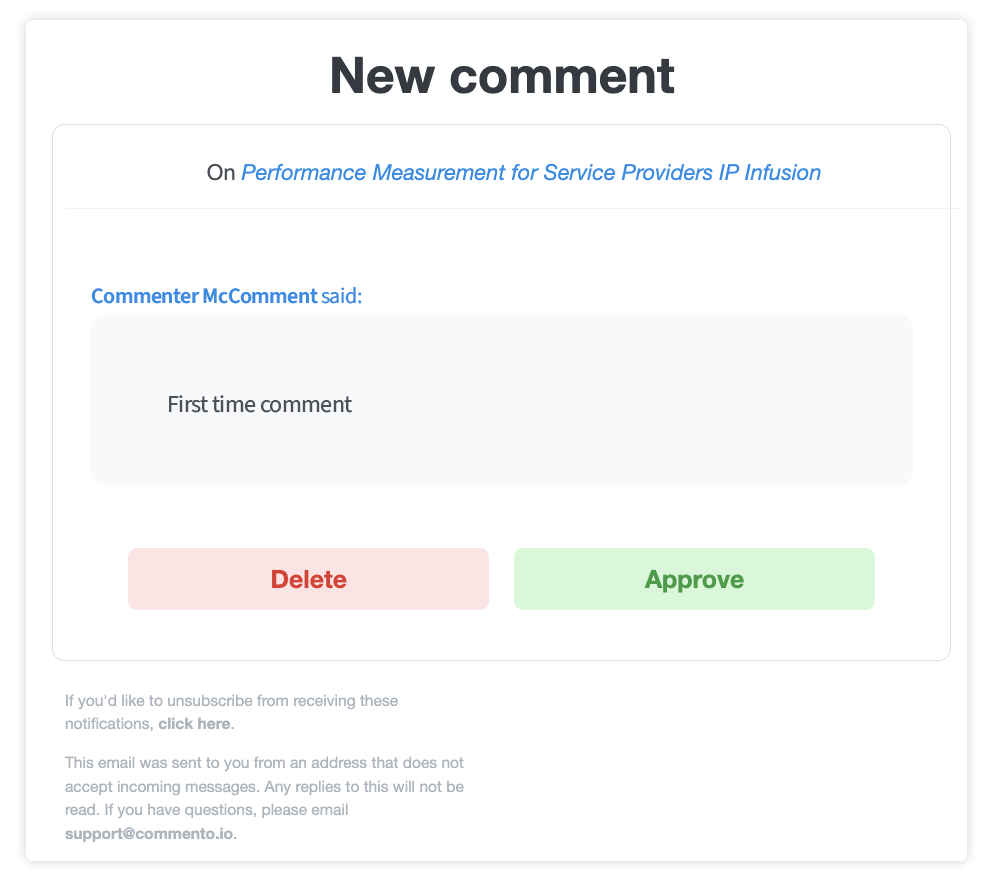 Fig-8: Default email notification to moderator
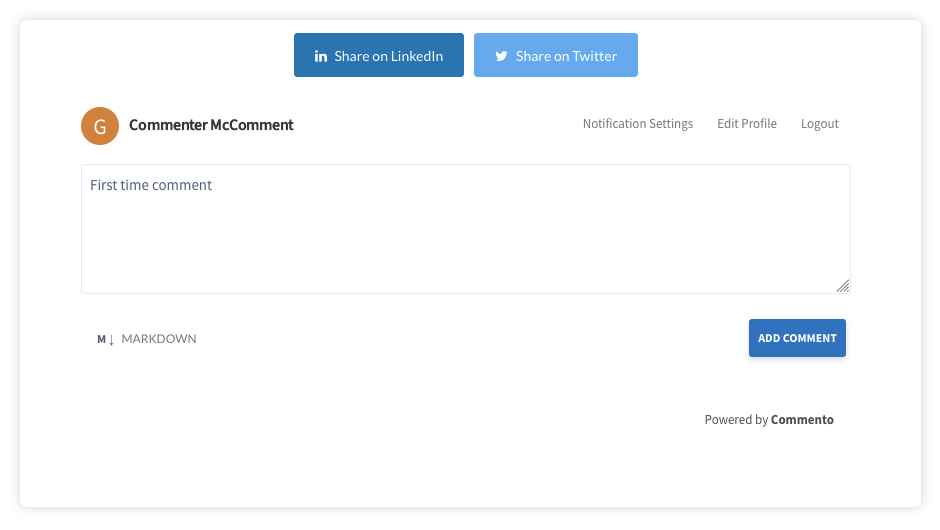 Fig-8: Comment appears after approval; user remains logged in for any other posts
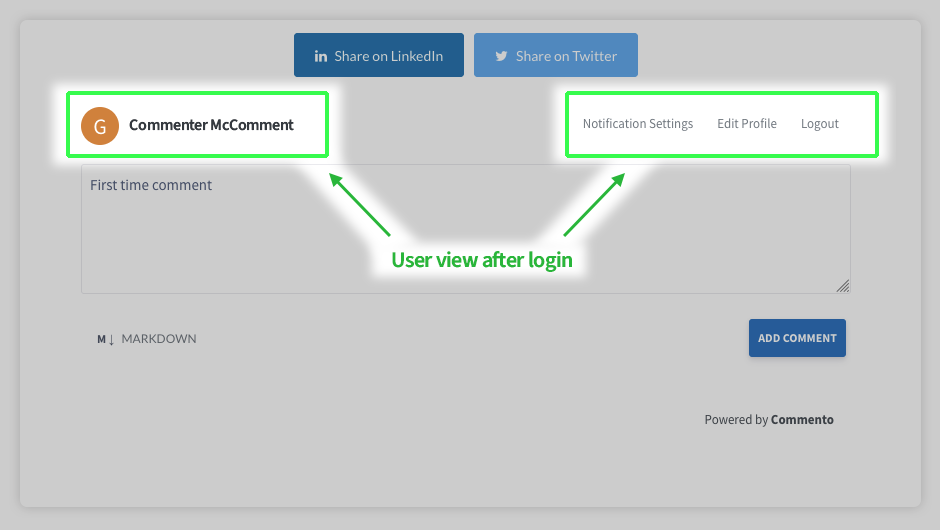 Fig-9: Logged-in user controls
How admins moderate comments on the blog
- Moderators receive email notifications
- Comments are moderated from the email notification, or on the post view while logged in
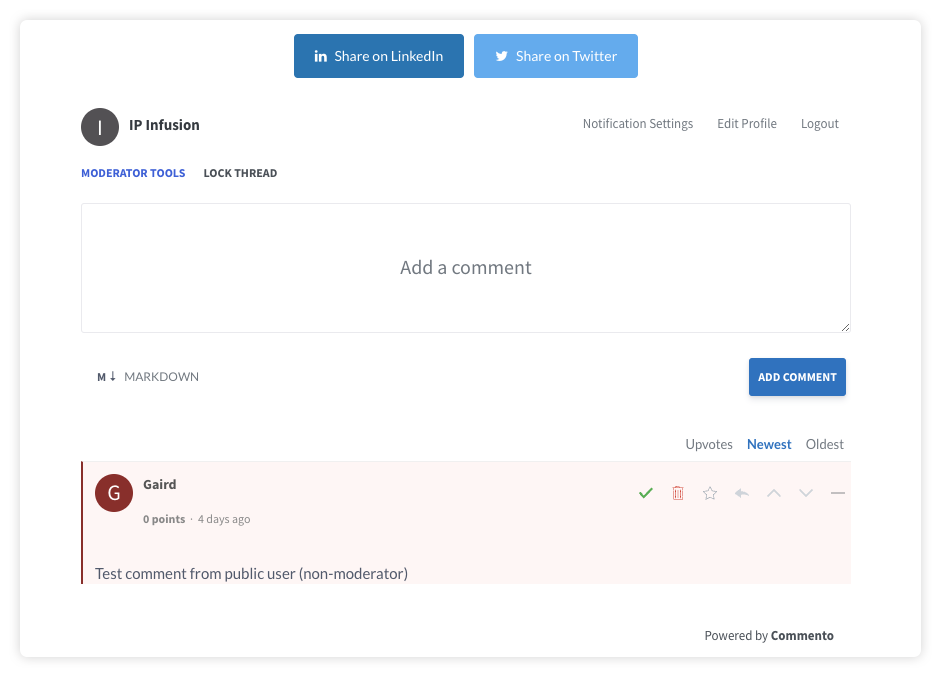 Fig-10: Moderator view with administration tools
Moderator Accounts
- Moderator emails are setup in the admin UI
- Moderators complete their account setup on any post by creating an account with same email setup in the admin back end
- Once the moderator sets up their own password, they are activated immediately and can moderate any comments
- All moderators get notified by email of comments and replies (Note: mods do not get emails for their own comments while logged in)
User Accounts
- Users setup their own accounts at the blog post comment box
- In default config, they are required to authenticate with social login (e.g., Google, Twitter, Github) or create an account with their email and password
- Their own login and profile (if used) is stored in the cloud
ACCOUNT ADMINISTRATION
How the account works
- Scripts run the software on the site
- Configs are done on cloud UI
- Login, commenting, and moderation happen on the blog posts directly
- Kelly is owner, to login to the Commento admin UI, her login is in the MDG password vault
- Commento Documentation is here it primarily covers account setup, installing the software, and configuring settings. Front end docs are slim to none. Use this document for user and moderator guides.
- Commento Demo is here
Admin Notes
A moderator account is already setup with the techblogs email address and this password:
- [email protected]
- ipi1234!
an email distro list for techblogs@ account is up and running
- IT has setup an email distro for [email protected]
- Currently distro list is Kelly, Gaird and Dimas. We'll add Nicole and other users for rollout
CONFIGURATION & POLICIES
Allow anonymous comments? They are subject to moderation like registered commenters, but do not require login. There is a risk of comment spam, which the lightweight service is not well equipped to manage, and ultimately we want quality comments to drive leads, else there is not much point spending time on the project.
- Other screenshots to be added for misc. use cases
- Refer to Commento documentation for other administration requirements
WHY NOT USE WORDPRESS COMMENTING?
Excellent question. WordPress has built-in blog commenting, which works well, but is also rather basic. To get more features would involve adding another plugin, it requires each moderator to maintain a WordPress login, and become familiar with the WordPress backend, and entails user management for the website team. The website backend already deals with legacy issues, and this keeps things tidy and separate, without adding a lot of operational overhead.
The Commento plugin is super lightweight, and does not require using any admin backend. Login once, and all comment management takes place right on the posts, or in the email notifications. It is easier than WordPress. Easy to pickup and use, & easy to migrate to something else.
This is a small POC to see if blog comments get any traction that can generate quality leads. The recommendation from Mighty Digital is to use something lightweight and easy to use, and see how the program develops.
If the commenting grows and drives engagement and leads to the point of needed better software, the default WordPress commenting will not fit that need anyway, and the content from Commento can be ported to a more full-featured commenting engine like Disqus.
BLOG CATEGORIES
- Setup blog to have a Tech Blogs category/taxonomy
- Make button/tab style bigger for better legibility
- Other categories TBD, this can be an editable taxonomy
- Nicole will do publishing of the content, and can assign the TechBlogs user within WordPress